> ## Documentation Index
> Fetch the complete documentation index at: https://dataleap-469bb19d-docs-from-commits-2026-08-19-upload-limits.mintlify.site/llms.txt
> Use this file to discover all available pages before exploring further.
# Versioning
> Edit without fear: restore your agent to any previous version when a change misfires.
The scariest moment in agent building: you have an agent that works, and you need to change it. What if the edit breaks something that took days to get right?
Versioning removes that fear. Every change to your agent creates a version — and you can restore any previous one at any time.
## Two ways to restore
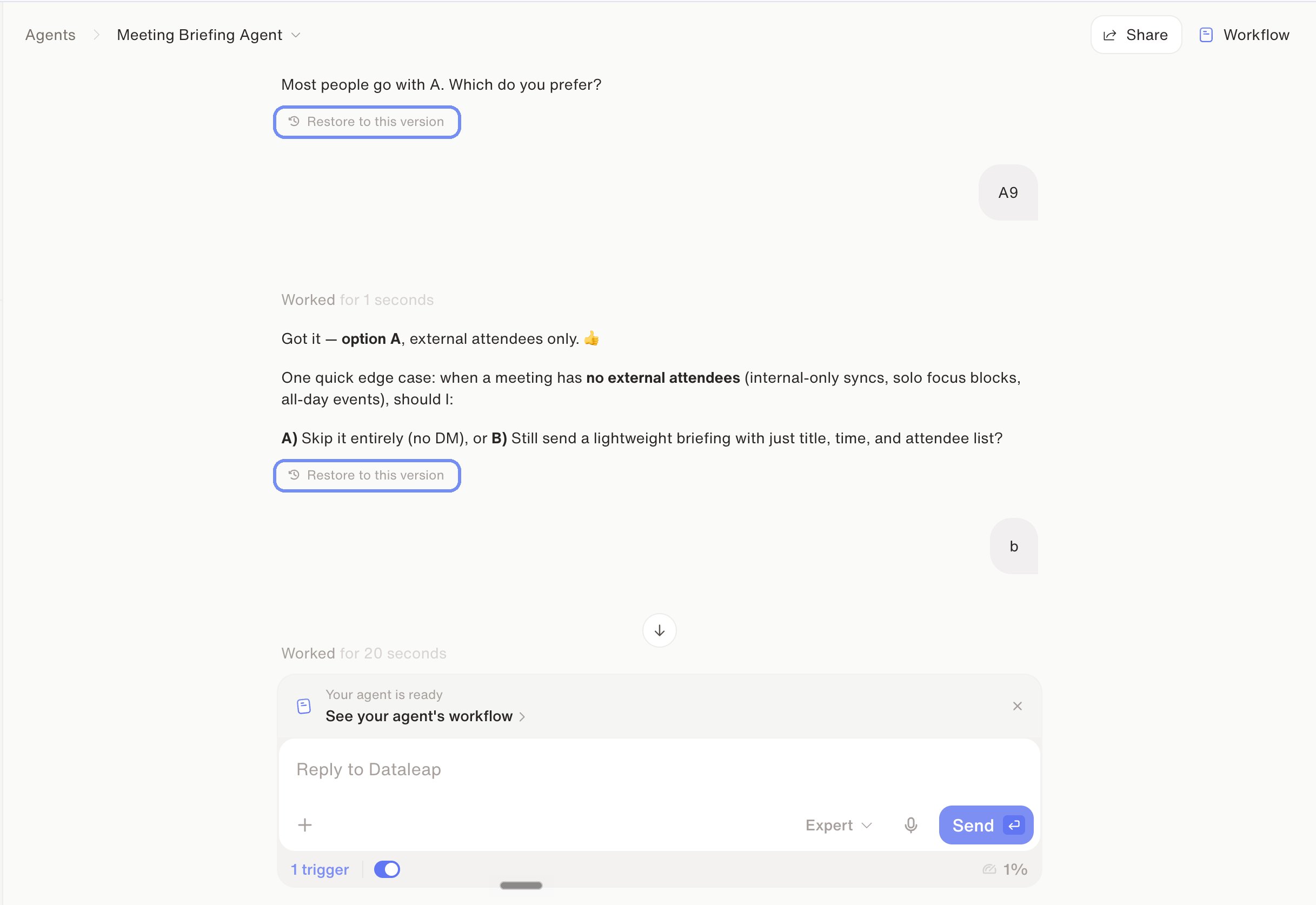
**1. Directly in the chat.** Every message in the build conversation has a **Restore to this version** link — click it to bring the agent back to exactly that state.
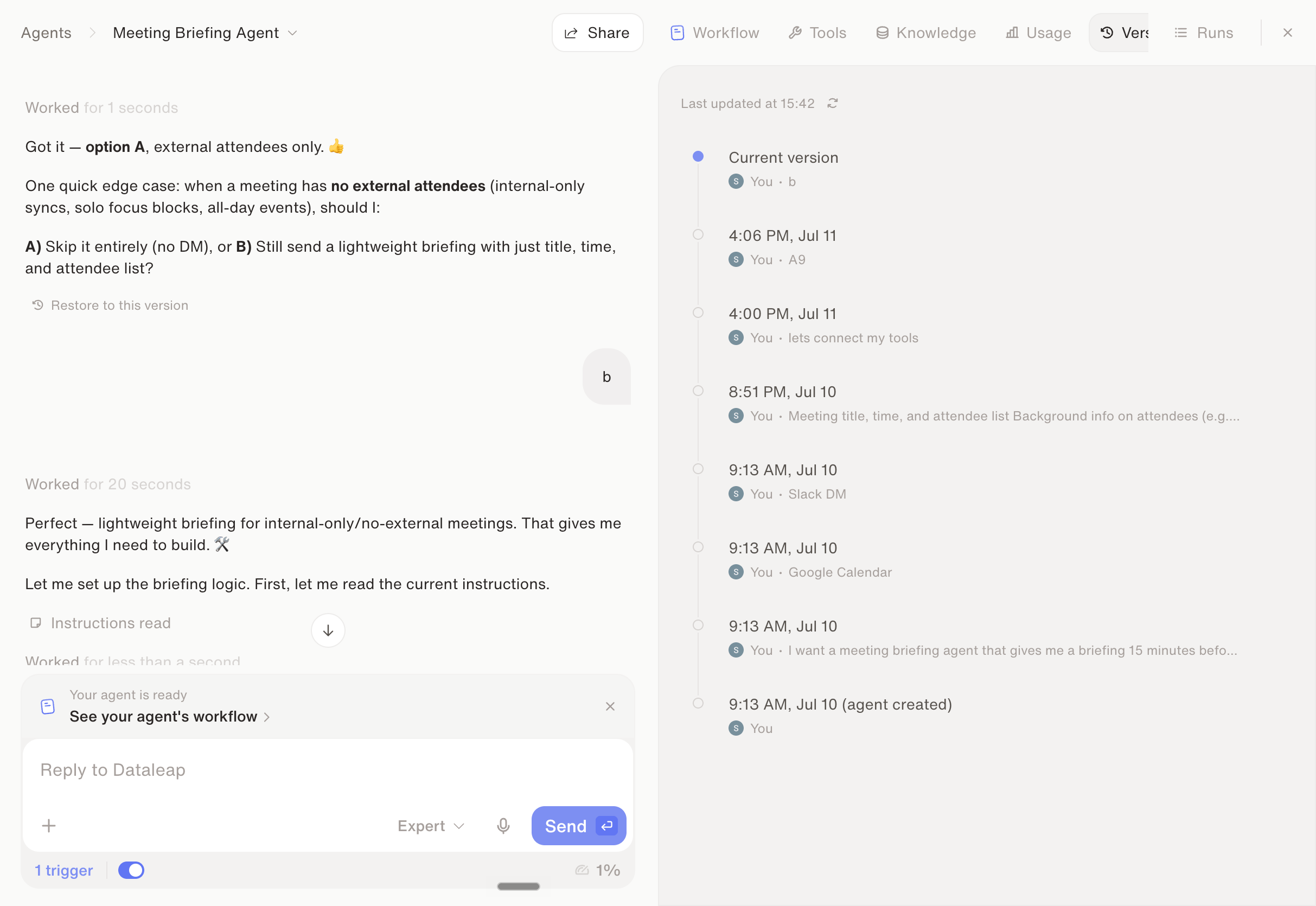
 **2. Via the Versions tab.** Click **Workflow** in the top right and open the **Versions** tab — you'll see the full version history with timestamps and what changed, and can restore any prior version from there.
 ## The safe experimentation loop
Your current working state is a version you can return to — that's what makes the next step risk-free.
Rewrite instructions, swap tools, restructure the workflow — experiment freely.
Run the changed agent on the same examples that worked before, so you know which version is better.
If the new behavior wins, it becomes your new baseline. If not, restore the previous version and try differently.
Once an agent runs reliably, that state is never more than one restore away — which is what lets you keep improving a production agent without treating every edit as a risk.
See how versioning works in the product.
Next chapter: sub-agents, skills, and cost control.
What to tighten when a version underperforms.
## The safe experimentation loop
Your current working state is a version you can return to — that's what makes the next step risk-free.
Rewrite instructions, swap tools, restructure the workflow — experiment freely.
Run the changed agent on the same examples that worked before, so you know which version is better.
If the new behavior wins, it becomes your new baseline. If not, restore the previous version and try differently.
Once an agent runs reliably, that state is never more than one restore away — which is what lets you keep improving a production agent without treating every edit as a risk.
See how versioning works in the product.
Next chapter: sub-agents, skills, and cost control.
What to tighten when a version underperforms.